
Made for decks with repeated tables
Process management reports, board decks, research presentations, and operational reviews while keeping each extracted table tied to its source slide.
Stop copying tables out of presentations one slide at a time. Docupi converts PowerPoint files into page previews, extracts their tables, and keeps the slide visible while you review the data.
Process management reports, board decks, research presentations, and operational reviews while keeping each extracted table tied to its source slide.
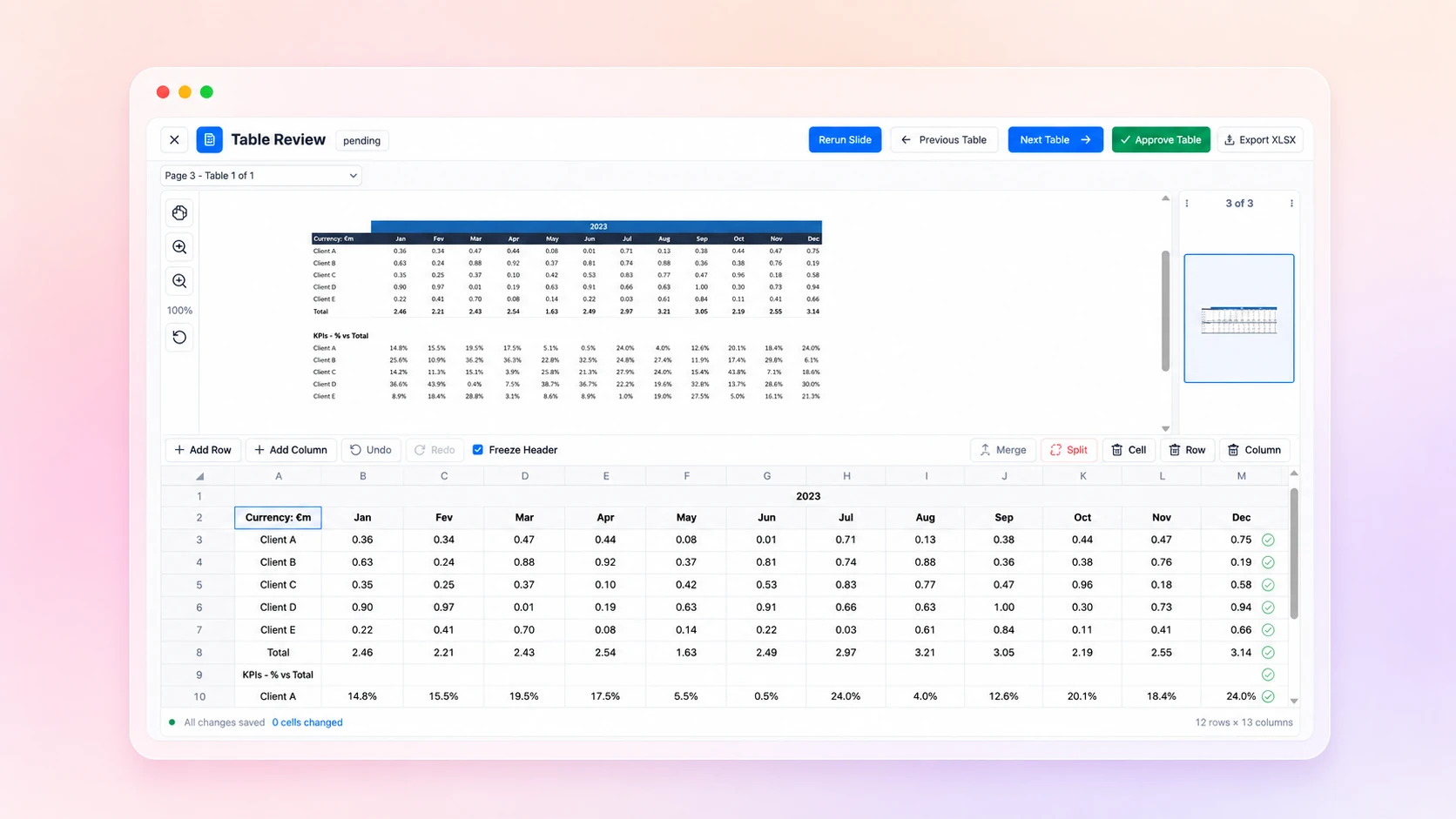
Presentation tables often include merged headers, notes, decorative shapes, and inconsistent spacing. Docupi gives you an editable grid and source preview so those details can be reviewed instead of silently accepted.
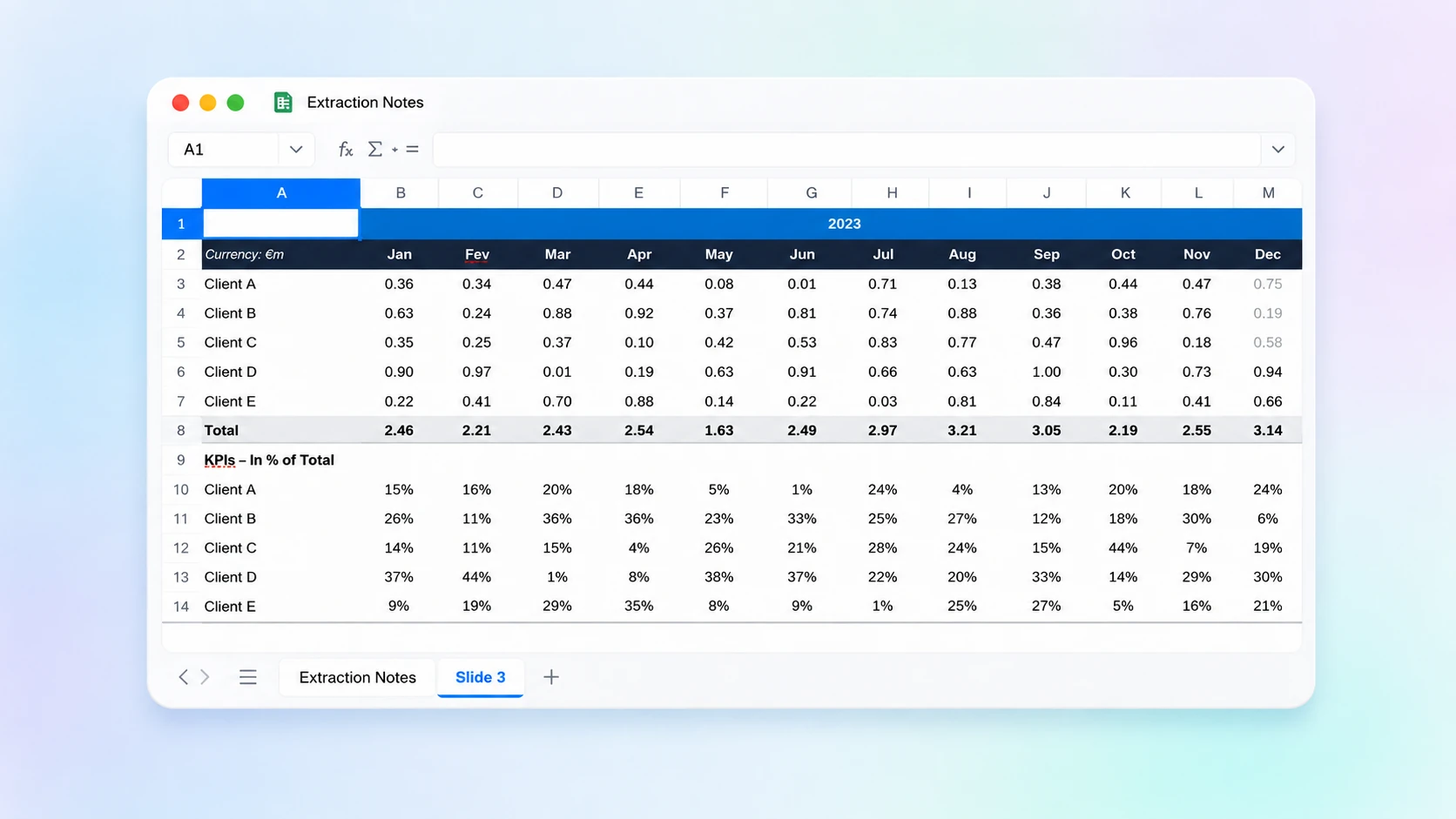
Approve all tables, review them individually, or select a subset for export. The resulting workbook stays useful for analysis rather than reproducing the slide as an image.
Yes. Both PowerPoint formats are accepted in the upload workflow.
Docupi can return multiple distinct tables from one slide and keeps them associated with that slide.
Yes. Individual slides can be rerun without restarting the whole document.