Useful when text selection is unavailable
Image-only PDFs and imperfect scans can still contain valuable schedules, statements, and historical records. Docupi works from the rendered page rather than requiring embedded text.
Scanned documents need more than a blind OCR dump. Docupi treats each page as a visual source, structures the tables it finds, and lets a reviewer validate the output against the scan.
Image-only PDFs and imperfect scans can still contain valuable schedules, statements, and historical records. Docupi works from the rendered page rather than requiring embedded text.
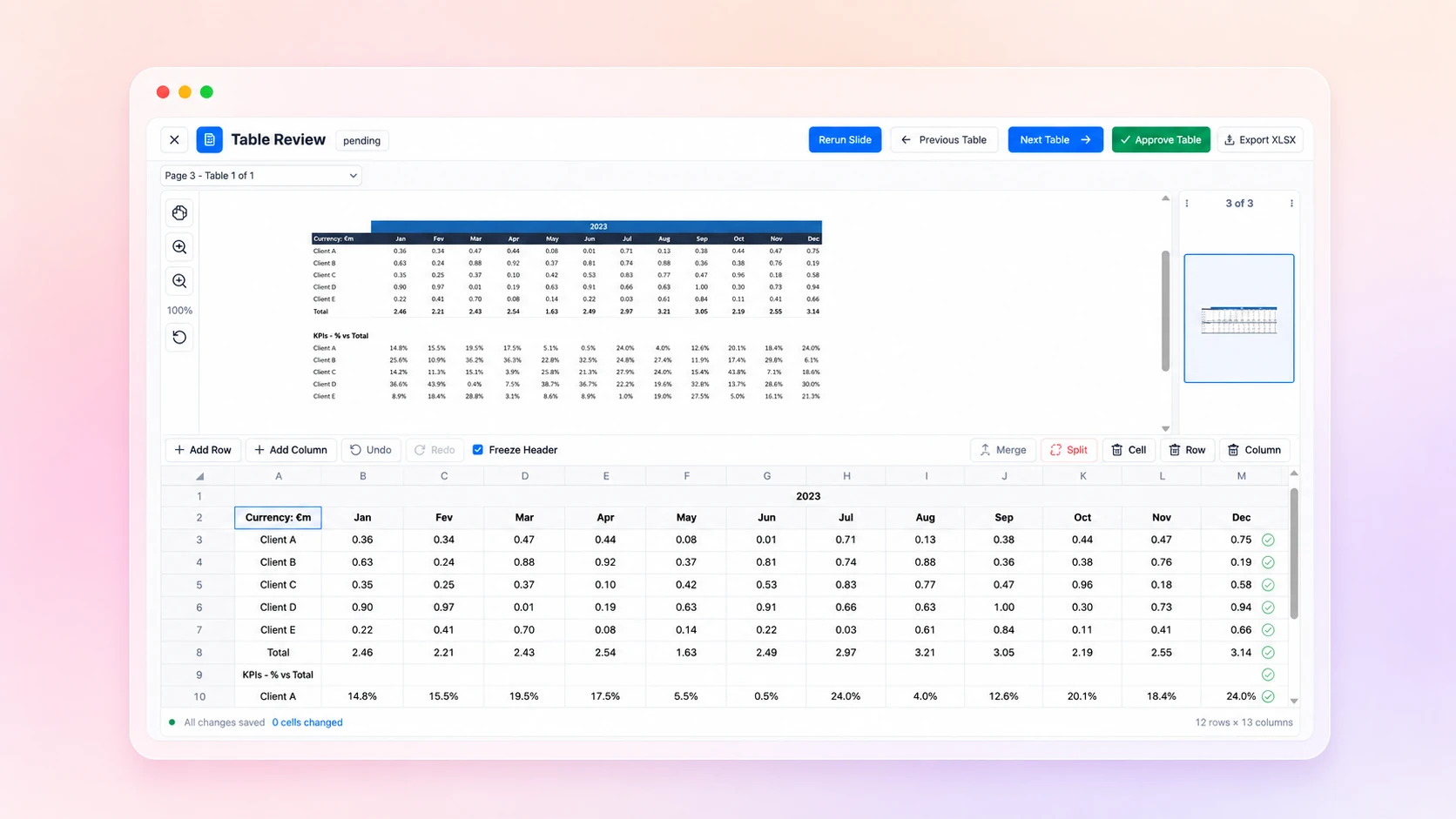
Low-quality scans can contain ambiguous characters and boundaries. The side-by-side review experience makes uncertainty visible and gives the reviewer control before data is exported.
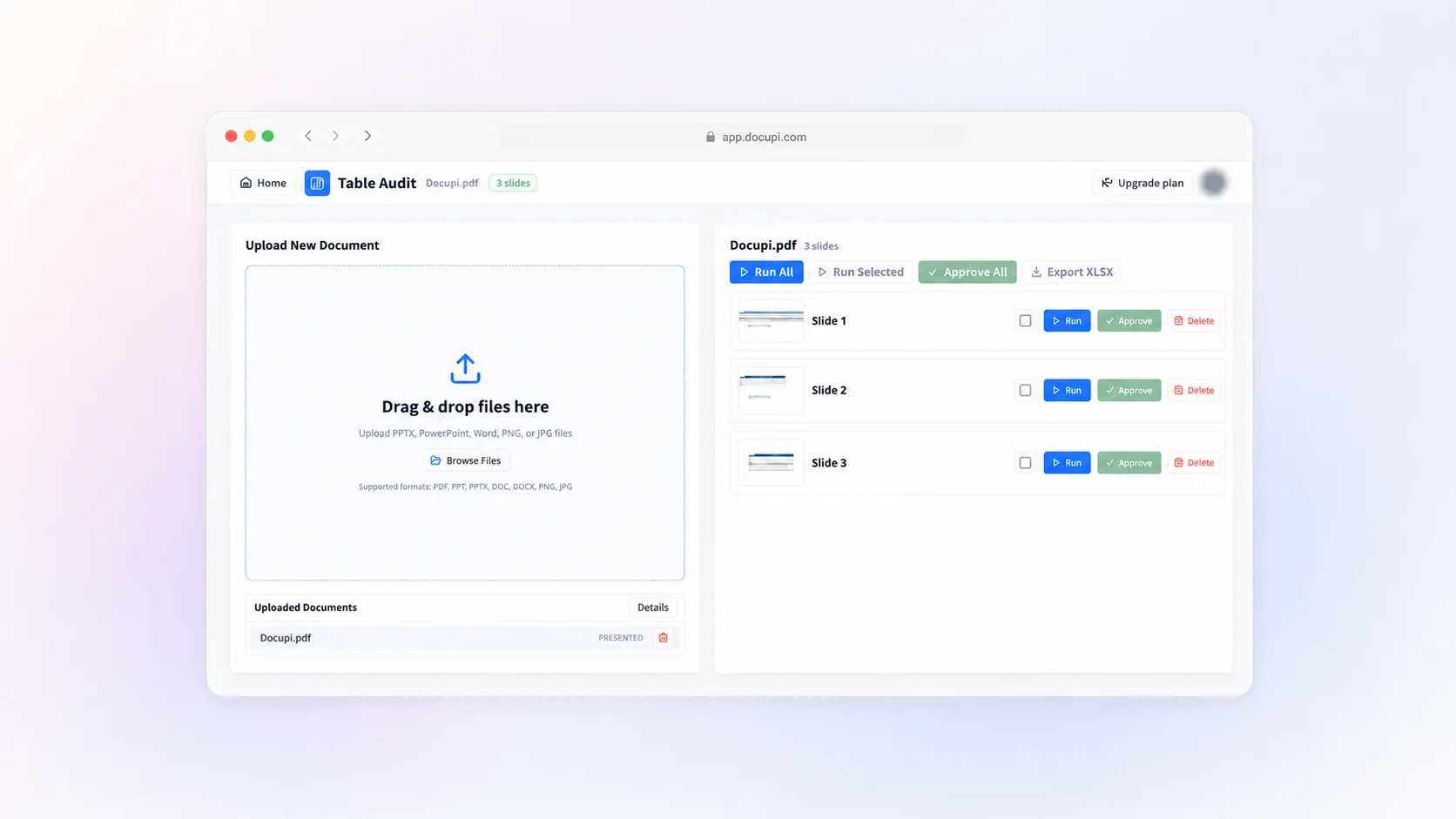
Preview pages progressively, extract selected pages when appropriate, and track whether a document is previewed, extracting, extracted, failed, or cancelled.
No. OCR focuses on text. Docupi focuses on returning table structure such as headers, rows, columns, and multiple tables per page.
No extraction system should be treated as perfect. Docupi is designed around review and correction before business use.
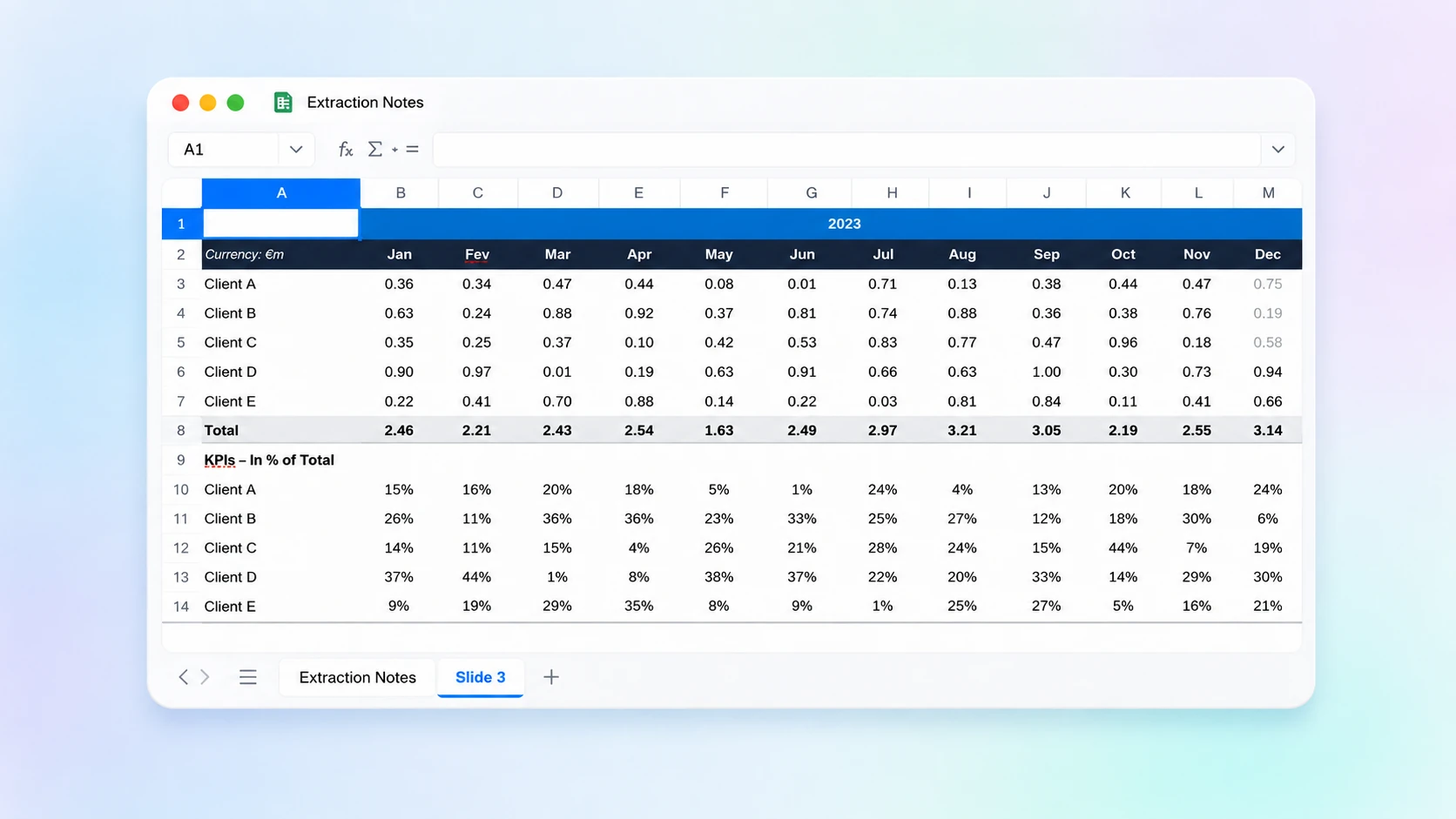
Yes. Reviewed and approved tables can be exported to XLSX.